


















Evaluating AI agent governance vendors? Ask these six questions to see how they handle approvals, changing permissions, and can prove what an agent did.

- Resources
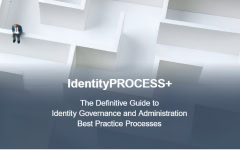
IdentityPROCESS+

A definite guide to Identity Governance and
Administration best practices. Learn how to
successfully deploy and maintain an IGA solution.DEKRA
As part of their digital transformation, DEKRA moved
from an in-house access management solution to
a modern, cloud based Omada IGA solution.2026 KuppingerCole Leadership Compass for IGA
In this year’s report, Omada was once again recognized as an Overall Leader.
Webinars
Get the latest IGA trends, information, and intelligence
from renowned industry experts in Omada’s live and
on-demand webinar presentations.How to Overcome Challenges Moving
Legacy IGA to the CloudFamiliarize yourself with the typical threats that
can derail a seamless legacy to cloud migration of
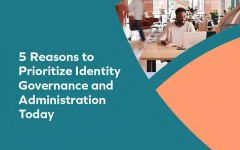
IGA functionality and get tips on managing them.5 Reasons to Prioritize IGA Today
Get practical examples and data proving the
value of IGA and learn the five key reasons you
must make it a business imperative today.Product Briefs
We are constantly adding new features to Omada
products to ensure your IGA efforts keep pace with
the ever-evolving threat landscape.White Papers
Explore our white papers on compliance, security, and
efficiency topics. Gain insights and best practices to drive
informed decisions and enhance your organizational strategy.Product News
Get information about the newest Omada product
features, benefits, and use cases to ensure you get
the most from your IGA program.Identity and Cybersecurity Glossary
Our comprehensive Identity and Cybersecurity
glossary, featuring extensive explanations, real-life
examples, practical frameworks and everything else
you need to understand key concepts in identity and
cybersecurity. - Company
We are Omada
A market-leading provider of identity governance
and administration solutions. Get to know us better!Become a key part of something special
At Omada, efficient teamwork creates extraordinary results.
We enable talented people to create career paths where
they can thrive, be inspired, and have fun.World-class support and technical
expertise - right in your communityOmada partners provide unmatched advisory, product
and service re-sale, and project delivery resulting in
unsurpassed customer satisfaction scores.Leading organizations doing more with identity
Don’t just take our word about the value of Omada
solutions. See what actual users think.Come see us!
We frequently deliver expert presentations, exhibit, and
run demos at the world’s leading security and IGA events.
Look at our upcoming schedule to see if we cross paths –
we'd love to speak with you.Omada is making news!
See what the media are reporting about our
innovative identity governance solutions.News from us
Explore our official press releases on identity governance, product launches, and company milestones.
Legal Information
Find here legal documents governing and relating to the
provisioning of Omada Offerings - Customer Agreement, DPA, and more.We can help
Omada is a global market leader in Identity Governance.
Please reach out to us with questions or to get more information.
- Resources
IdentityPROCESS+
A definite guide to Identity Governance and
Administration best practices. Learn how to
successfully deploy and maintain an IGA solution.DEKRA
As part of their digital transformation, DEKRA moved
from an in-house access management solution to
a modern, cloud based Omada IGA solution.2026 KuppingerCole Leadership Compass for IGA
In this year’s report, Omada was once again recognized as an Overall Leader.
Webinars
Get the latest IGA trends, information, and intelligence
from renowned industry experts in Omada’s live and
on-demand webinar presentations.How to Overcome Challenges Moving
Legacy IGA to the CloudFamiliarize yourself with the typical threats that
can derail a seamless legacy to cloud migration of
IGA functionality and get tips on managing them.5 Reasons to Prioritize IGA Today
Get practical examples and data proving the
value of IGA and learn the five key reasons you
must make it a business imperative today.Product Briefs
We are constantly adding new features to Omada
products to ensure your IGA efforts keep pace with
the ever-evolving threat landscape.White Papers
Explore our white papers on compliance, security, and
efficiency topics. Gain insights and best practices to drive
informed decisions and enhance your organizational strategy.Product News
Get information about the newest Omada product
features, benefits, and use cases to ensure you get
the most from your IGA program.Identity and Cybersecurity Glossary
Our comprehensive Identity and Cybersecurity
glossary, featuring extensive explanations, real-life
examples, practical frameworks and everything else
you need to understand key concepts in identity and
cybersecurity. - Company
We are Omada
A market-leading provider of identity governance
and administration solutions. Get to know us better!Become a key part of something special
At Omada, efficient teamwork creates extraordinary results.
We enable talented people to create career paths where
they can thrive, be inspired, and have fun.World-class support and technical
expertise - right in your communityOmada partners provide unmatched advisory, product
and service re-sale, and project delivery resulting in
unsurpassed customer satisfaction scores.Leading organizations doing more with identity
Don’t just take our word about the value of Omada
solutions. See what actual users think.Come see us!
We frequently deliver expert presentations, exhibit, and
run demos at the world’s leading security and IGA events.
Look at our upcoming schedule to see if we cross paths –
we'd love to speak with you.Omada is making news!
See what the media are reporting about our
innovative identity governance solutions.News from us
Explore our official press releases on identity governance, product launches, and company milestones.
Legal Information
Find here legal documents governing and relating to the
provisioning of Omada Offerings - Customer Agreement, DPA, and more.We can help
Omada is a global market leader in Identity Governance.
Please reach out to us with questions or to get more information.